 FTP One
One send.
Every destination.
FTP One sends photos and files to the FTP and FTPS servers and cloud accounts you work with: agencies, newsrooms, clients, your NAS. To several destinations at once, while you keep shooting.
Free up to 10 files a day · No account to create
 Scan with your iPhone to download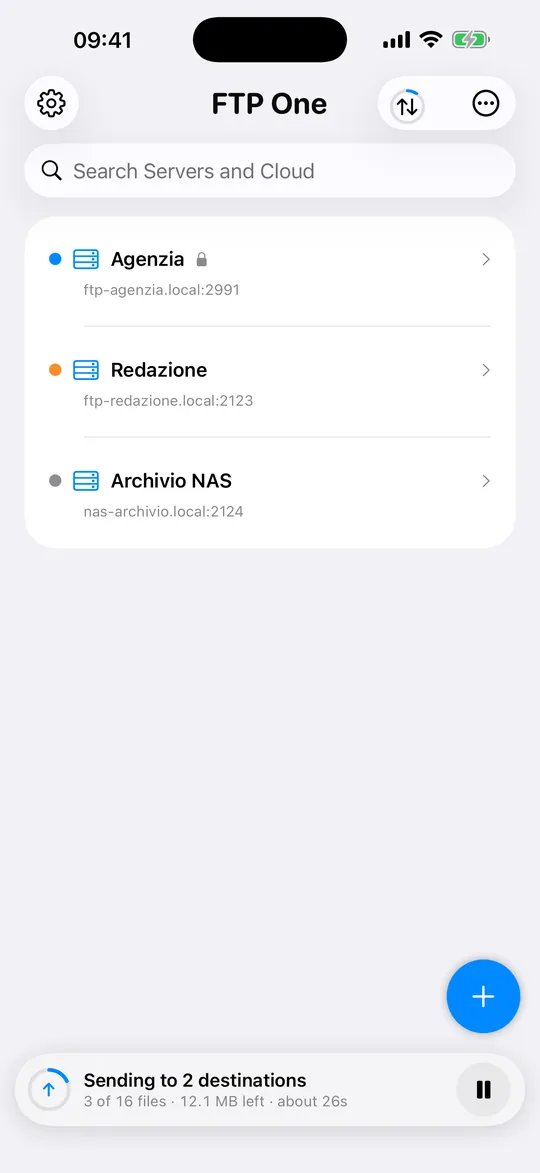
How it works
Three steps. Then your photos travel on their own.
Connect your servers
Address, user name and password of your newsroom’s FTP server, or a cloud account. Passwords stay in your device’s Keychain.
Pick photos and destinations
From your library, from Files, from a connected camera or with Share from Photos. One destination or several at once.
They arrive. And you see it.
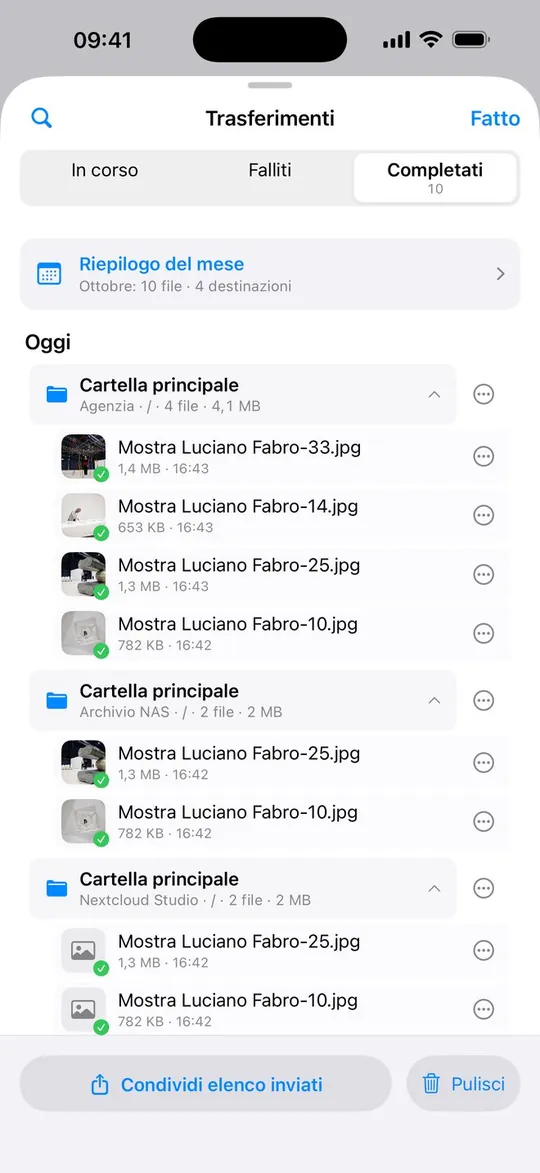
Each file has its own bar, with speed and time left. At the end of the day, a list of what arrived and where.
How photographers use it
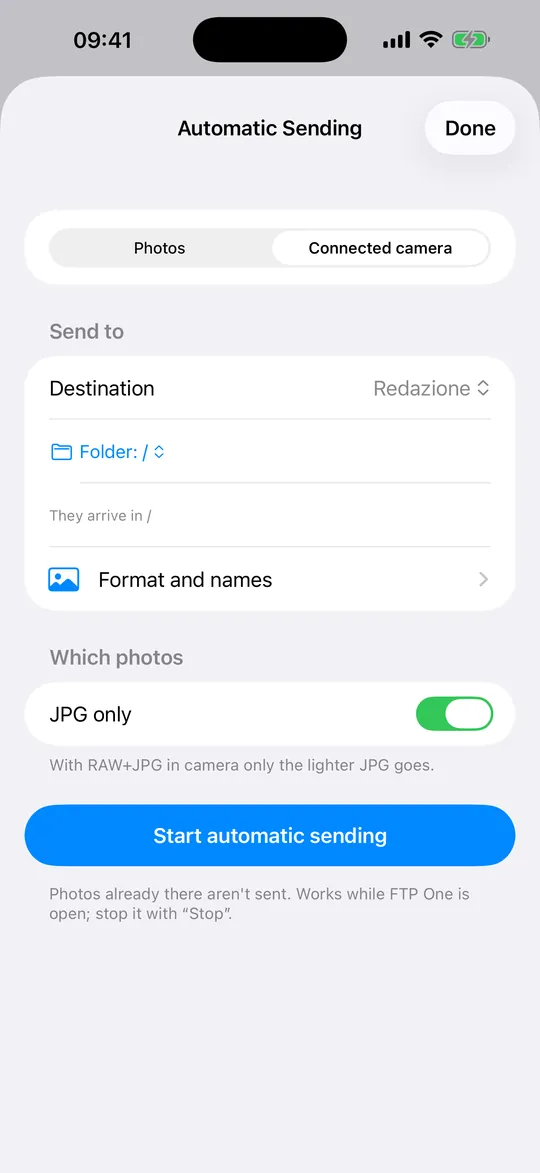
Connect your camera to your iPhone and pick the agency and the newsroom: every new JPG goes to both on its own while you keep shooting.
Pick the best photos in your library, Share › FTP One, and when the upload ends send the newsroom the ready-made result.
On your Mac, pick the assignment folder: it goes to the studio NAS and to the client’s cloud in a single send.
Everything you need to deliver
Every feature is in the free plan too.
Several destinations in one send
The same files to several servers and cloud accounts at the same time. Save the profiles you use often and repeat your last choice with one tap.
FTP and FTPS
With server certificate verification. For a self-signed certificate, like a NAS’s, the app asks once whether to trust it and then remembers.
Cloud accounts
Dropbox, Google Drive, WebDAV (Nextcloud, ownCloud, NAS), Amazon S3 and compatible services, iCloud Drive.
Share from Photos and Files
Pick your photos and tap Share › FTP One. The upload starts as soon as you open FTP One or tap the notification, up to 50 photos at a time.
From your camera
On iPhone and iPad, connect your camera or an SD card reader via USB: the app shows you only the new photos.
Automatic sending
New photos go out on their own, even just your favorites. Or they wait and leave at the time you choose, even overnight.
Format, names and duplicates
Choose file format and names. Photos already sent to that destination can be skipped.
Transfers panel
Queue, pause, resume and cancel: cancelling also removes the partial file from the server. Failed files can be retried.
On the Lock Screen
On iPhone, follow the upload’s progress without opening the app, with Live Activities.
Let the newsroom know
When the upload ends, the result for each destination and a ready-to-send message.
Captions and shooting data
Browse the server’s folders, open a photo and read its caption, author, copyright and shooting data.
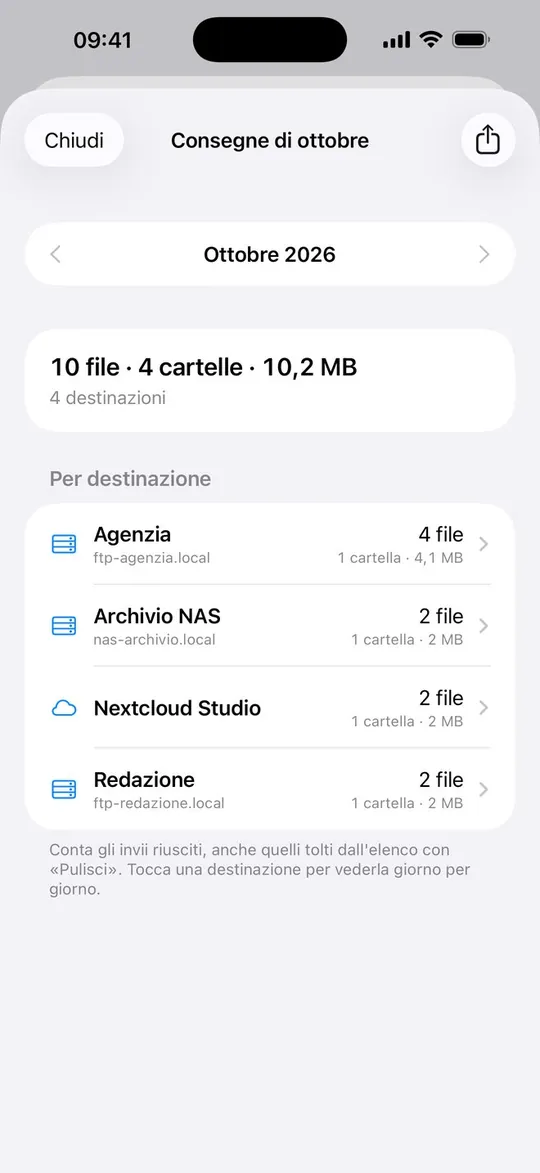
Monthly deliveries
How many files, how many folders and to which destinations, month by month. Plus a list of uploads to share.
From your camera to the newsroom
Connect your camera or card reader and choose where to send: FTP One sees only the new photos and sends them on its own. If you shoot RAW+JPG, only the lighter JPG can go.
You always know what’s happening
Each file has its own bar, with speed and time left. On iPhone you can follow it from the Lock Screen too. If iOS stops the upload, the queue resumes when you return to the app, and the interrupted file starts over: it never arrives damaged.
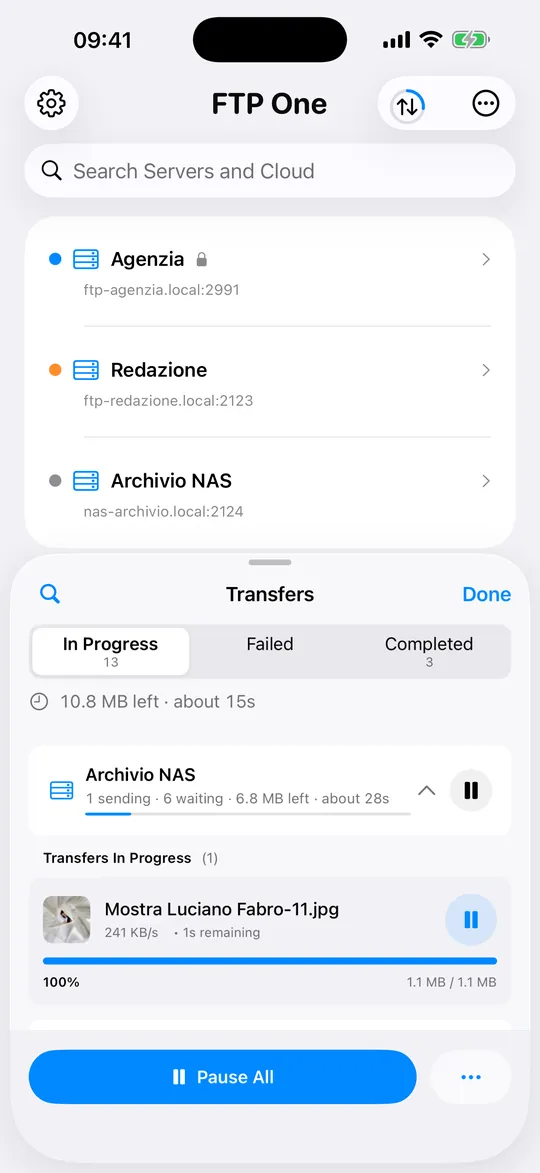
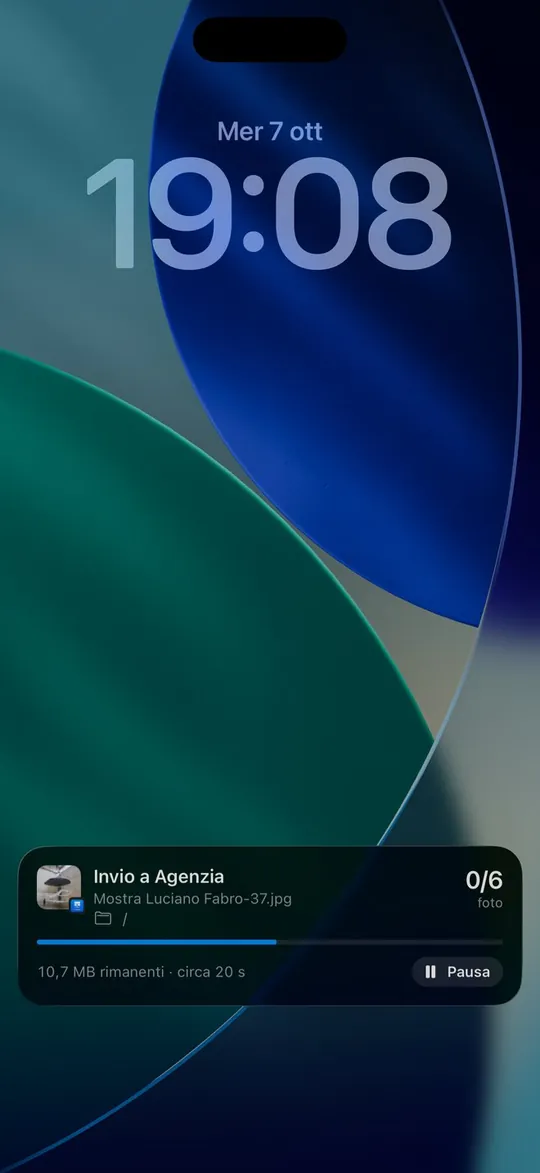
Take a closer look
Real app screens, with photos from a real assignment.
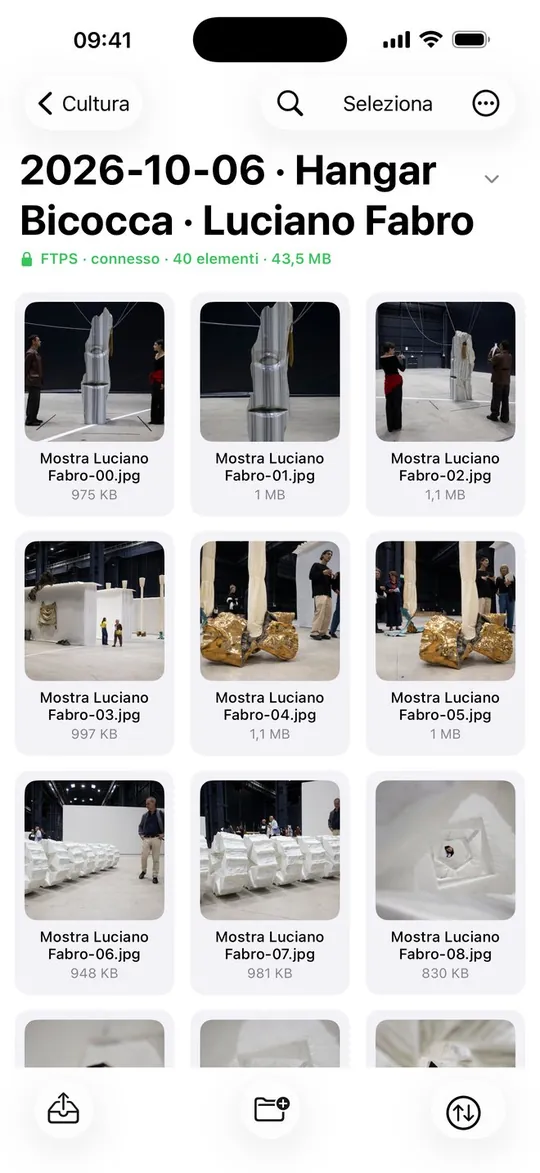
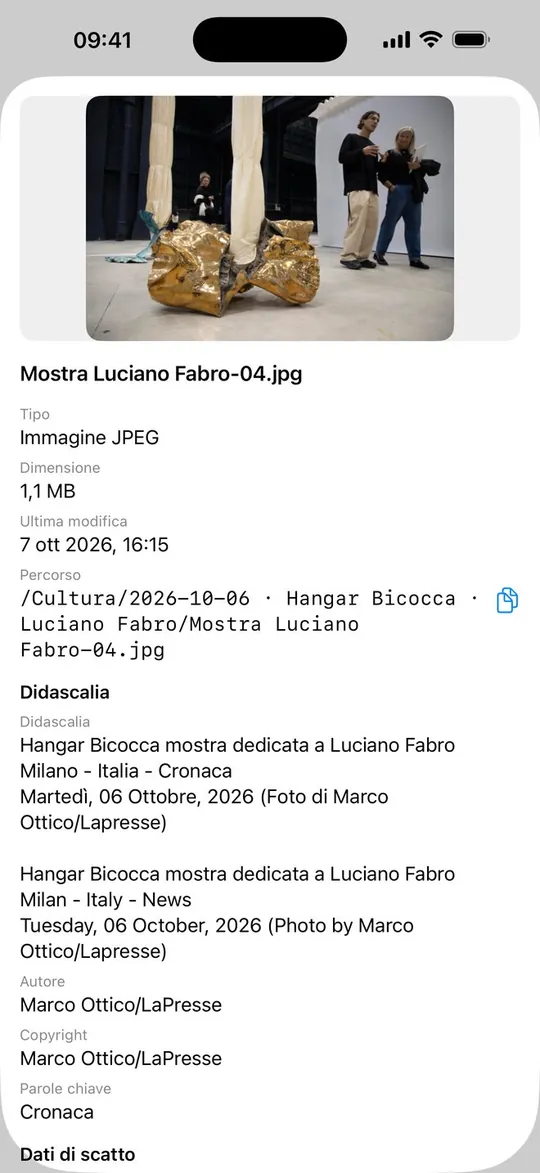

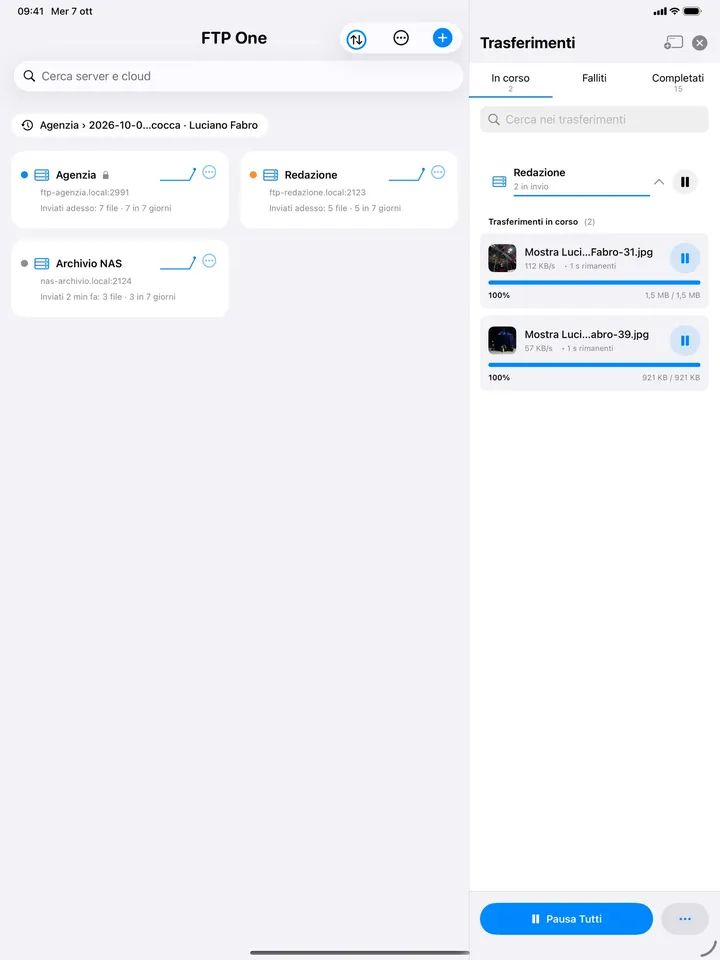
Home and transfers side by side, server folders full screen.
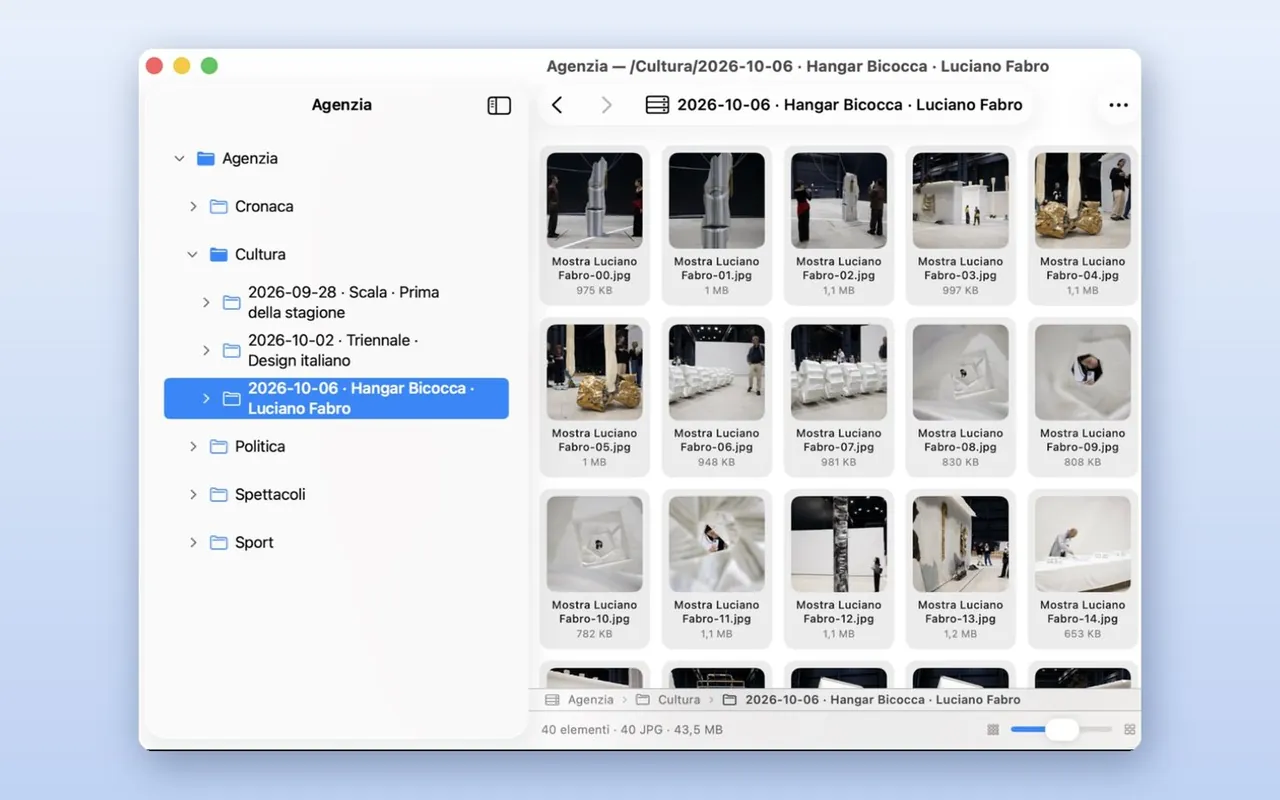
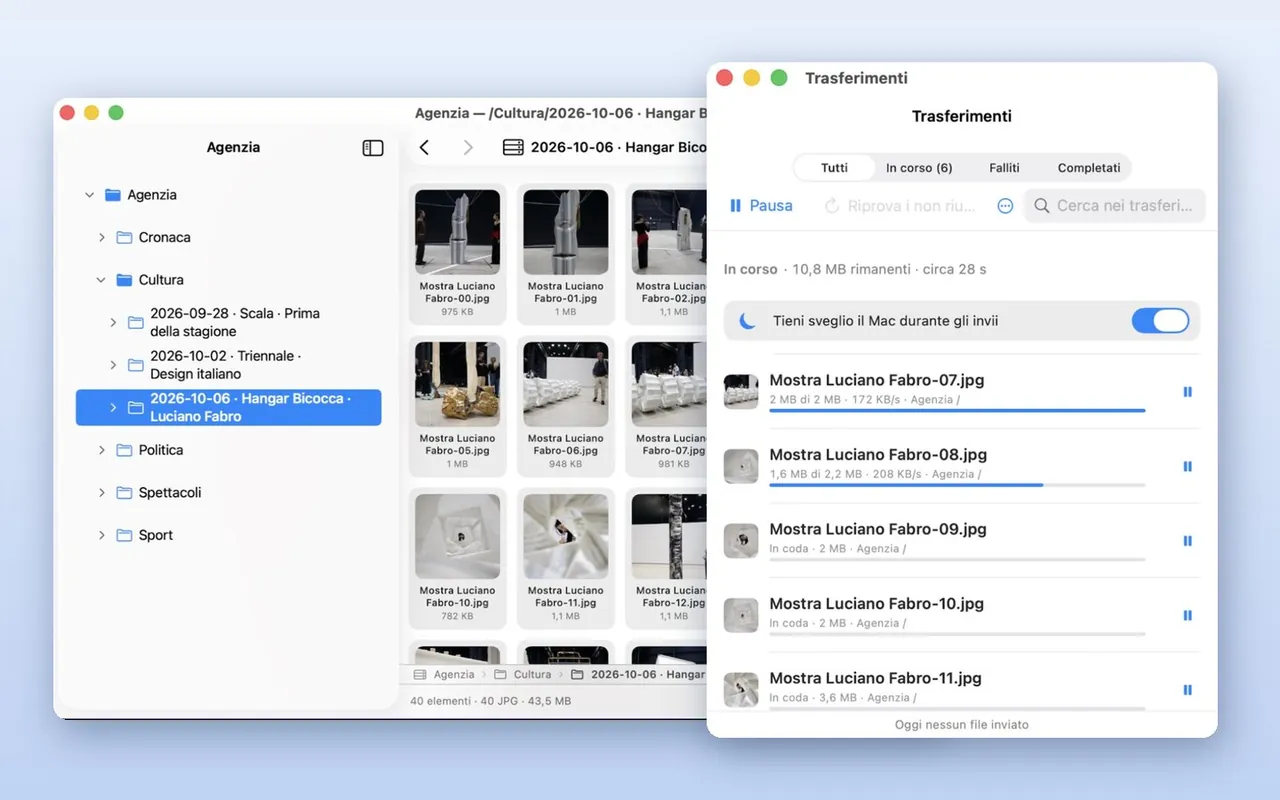
Drag photos from the Finder and work with windows, menus and keyboard shortcuts.
Your data stays yours
Simple pricing
Servers, clouds and multi-destination sending are free for everyone. Pro removes the file limits.
Free
Every feature, up to 10 files a day, 50 a week and 100 a month.
Pro Monthly
No file limits. 14-day free trial for first-time subscribers.
Pro Yearly
No file limits. 14-day free trial for first-time subscribers.
Prices in euros: the App Store shows the price for your country. Subscriptions renew automatically and can be managed or cancelled in your Apple Account settings.
Frequently asked questions
Are photos sent with the screen off?
Yes, from iOS 26 on: with the phone locked the transfer keeps going to the end, and its progress shows on the Lock Screen. With iOS 18 and earlier the transfer stops when you lock the phone: for long transfers keep FTP One open, and with “Keep Screen On While Sending” the screen won’t turn off by itself. Either way, if a transfer stops, it resumes when you reopen the app.
FTP or FTPS: which is better?
FTPS, if the server allows it: it protects your user name, password and photos on the way. If your newsroom only accepts FTP, FTP One works anyway.
Do my photos go through other servers?
No: FTP One sends them straight from your device to the destination you choose. We never see them.
What changes with FTP One Pro?
With the free plan you can send up to 10 files a day, 50 a week and 100 a month; Pro removes these limits. Servers, clouds and sending to several destinations are free for everyone.
How can I go faster?
Use Wi-Fi when you can, send JPGs instead of RAWs and, on a good connection, raise “Transfers at Once” in Settings › Transfers.